


Keeping Your Lab Team in Sync with Shared Protocols
Summary
You’ll get: practical habits for shared protocols—one authoritative timer layout, clear versioning when methods change, notes that onboard new people quickly, and why synced timers help parallel runs across benches or sites.
When several people run the same protocol—in the lab, across benches, or in the field—small differences in order, duration, and when a step happens relative to equipment readiness show up as inconsistent results, wasted reagents, and frustrating “we thought everyone did it the same way” conversations. Shared protocol timers are one lever to make execution match the intent of the written method.
Compare tools for shared protocols and lab timing
Score | Tool | Cost / access | Usability | Protocol tracking | Phone app | Lab tools |
|---|---|---|---|---|---|---|
| 5/5 | Purpose-built protocol runner: named steps, multiple timers, sync across steps, offline use, and one-link sharing. | 4/5 | 5/5 | |||
| 4/5 |  ELN and inventory platform—you can run structured, timed workflows in the web app on desktop; no bench-focused mobile protocol runner. | 2/5 | 3/5 | |||
| 3.5/5 | Flexible docs and databases for lists; you can outline steps but there is no lab-specific timing layer. | 5/5 | 4/5 | |||
| 3/5 |  Digital lab notebook for compliance and archiving—timed notebook workflows on desktop; not a native phone app for live bench protocol timing. | 3/5 | 2.5/5 | |||
| 2/5 |  Excel & Google Sheets Excel & Google SheetsPlan durations in a grid and share files—no native running timers or step workflow while you work. | 5/5 | 3.5/5 | |||
| 1.5/5 |  Timer apps Timer appsPhone or kitchen timers—cheap and immediate, but no named steps, sync across phases, or shareable protocols. | 4/5 | 4.5/5 |


Strong Mixed Weak
Scores reflect bench fit for timed, multi-step protocols, not a full product review—use them alongside your own pilot on one real assay.
1. One source of truth
Define the protocol once in Lab Laps: steps, timers, and (if you use them) groups. Everyone works from that same structure instead of personal sticky notes, screenshots of older PDFs, or verbal summaries that drift after the third retelling.
2. Share the project
Use Share project to create a link. Colleagues open it, review steps and timers, and Import into their own Lab Laps. They run locally with the timing you defined—important when Wi‑Fi is unreliable or when people prefer their own machine logged into their account.
3. Use timer sync for “same clock” runs
When multiple people run in parallel (same PCR program on different cyclers, paired incubations across rooms), turn on Sync timers so the same logical timer set applies as people advance steps. That makes it easier to compare outcomes without confounding “their timer started two minutes late.”
4. Onboarding and rotation students
New people fail in predictable ways: they skip a wash, start the next step early, or misread an ambiguous line in a dense protocol. Use step descriptions for short, imperative cues: “Add stop buffer when timer hits zero—do not wait for color change,” “Move to ice before opening the lid,” “Pre-warm buffer in the 37°C bath while step 2 runs.”
A shared importable project turns tribal knowledge into something a rotation student can load on day one.
5. Version discipline when the protocol changes
When you change durations, reagent order, or a hold temperature:
- Update the shared project and distribute a new link (or re-share with a clear “v2” note in your lab chat / ELN entry).
- Date or version the method in your external doc so the group knows which timer layout matches which paper draft.
Old share links may continue to work for a period, but the newest link should be the one listed in your lab wiki or notebook so no one trains on an obsolete flow.
6. Handoffs between shifts and sites
For 24/7 or multi-site work, pair shared timers with a simple handoff rule: who owns advancing steps, where partial samples live (fridge slot, box number), and what “done for the day” means. The timer encodes sequence; your team still needs ownership—but without a shared structure, even good handoffs fail when two people use different mental models of the same SOP.
7. Communication that actually sticks
- One channel for “protocol of record” links (Slack pin, Notion page, shared drive index)—not five competing threads.
- No silent edits—if you change the shared project, post a one-line note with what changed and who signed off.
- Pair changes with a quick huddle when the update affects safety (hazards, PPE) or cross-contamination risk.
Frequently asked questions
How is this different from sending a PDF?
A PDF describes what; a structured shared timer encodes how you move through time with multiple parallel clocks and named phases. Both can live in your quality system—use each for what it is best at.
What if someone runs offline?
They can still run after import; agree on how reconnection or resync is handled in your group’s practice (e.g. who advances steps on shared long runs).
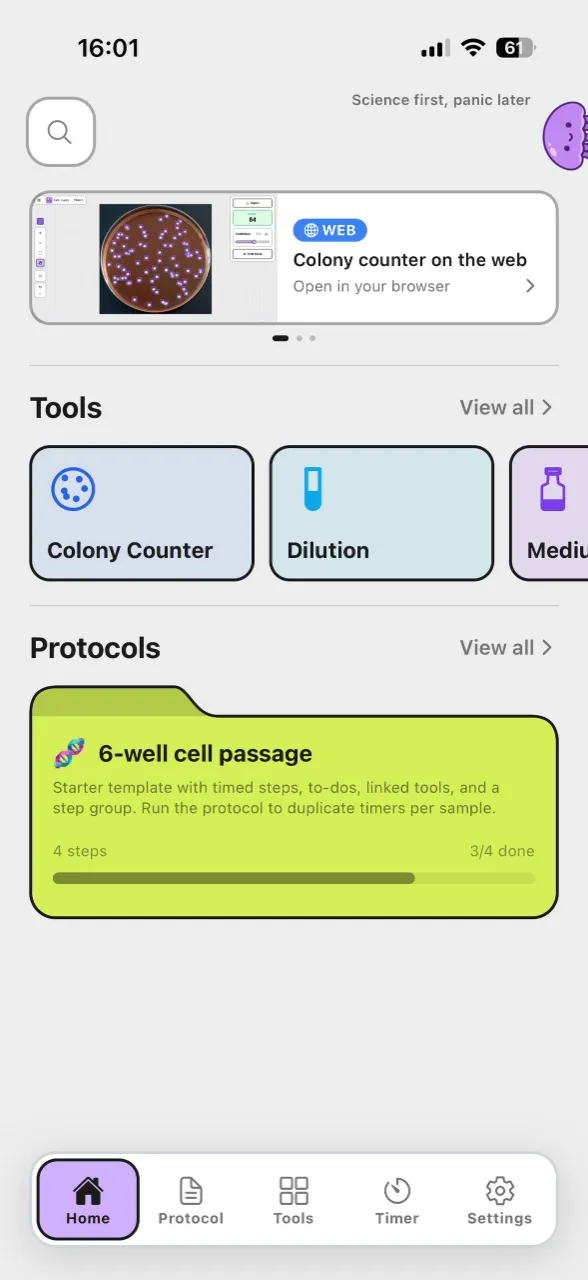
Lab Laps helps you create, share, and run protocol-ready timers. Create a project and share it with your team so everyone is on the same clock—not just the same document.