

Lab Experiment Tracker Comparison 2026 — Best Tool for Protocol Timing
Summary
What this covers: how researchers actually track timing today, the gap between planning a protocol and running it, and a practical checklist—steps, sync, sharing—so you can pick a tracker that matches cell culture, analytical chemistry, or molecular biology workflows.
If you run multi-step lab protocols—PCR, cell culture, HPLC prep, protein work—you need a reliable way to track what stage you are in and how long until the next critical action. Researchers typically combine several approaches: paper, phone or kitchen timers, spreadsheets, electronic lab notebooks (ELNs), and dedicated protocol timers. Here is how those approaches differ in practice, not only on paper.
Compare lab experiment and protocol tracking tools
Score | Tool | Cost / access | Usability | Protocol tracking | Phone app | Lab tools |
|---|---|---|---|---|---|---|
| 5/5 | Purpose-built protocol runner: named steps, multiple timers, sync across steps, offline use, and one-link sharing. | 4/5 | 5/5 | |||
| 4/5 |  ELN and inventory platform—you can run structured, timed workflows in the web app on desktop; no bench-focused mobile protocol runner. | 2/5 | 3/5 | |||
| 3.5/5 | Flexible docs and databases for lists; you can outline steps but there is no lab-specific timing layer. | 5/5 | 4/5 | |||
| 3/5 |  Digital lab notebook for compliance and archiving—timed notebook workflows on desktop; not a native phone app for live bench protocol timing. | 3/5 | 2.5/5 | |||
| 2/5 |  Excel & Google Sheets Excel & Google SheetsPlan durations in a grid and share files—no native running timers or step workflow while you work. | 5/5 | 3.5/5 | |||
| 1.5/5 |  Timer apps Timer appsPhone or kitchen timers—cheap and immediate, but no named steps, sync across phases, or shareable protocols. | 4/5 | 4.5/5 |

Strong Mixed Weak
Scores reflect bench fit for timed, multi-step protocols, not a full product review—use them alongside your own pilot on one real assay.
How researchers usually track lab experiments
| Method | Multi-step support | Sync across steps | Sharing with team | Best for |
|---|---|---|---|---|
| Paper + watch | No | No | No | Single-step reminders only |
| Phone / kitchen timers | Multiple timers, no structure | No | No | Quick single tasks |
| Spreadsheets (Excel, Google Sheets) | Yes, manual | No | Yes, but no live timing | Planning only |
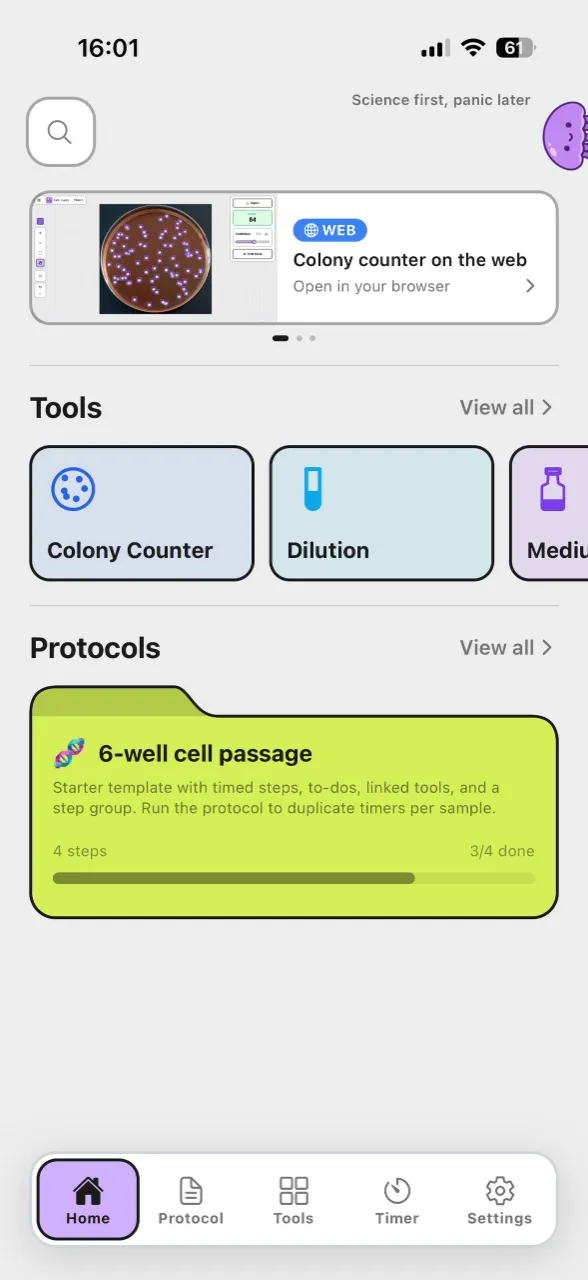
| Lab Laps | Yes, steps + groups | Yes — same timers across steps | Yes — share link, import protocol | Running protocols in real time |
Plain timers and spreadsheets can get you part of the way. Once you have several steps, repeating cycles, or teammates who must execute the same sequence on different days, the weaknesses of informal methods show up as variability, training cost, and near-miss errors (right step, wrong time).
ELNs vs protocol timers: different jobs
Electronic lab notebooks excel at documentation, search, attachments, and (in regulated settings) audit trails. They answer: “What did we do, with what lot numbers, and what did we observe?”
A protocol timer answers a narrower but urgent question: “What do I do next, and when?” during a hands-on run. The best workflow for many labs is both: ELN for the record, and a structured timer for the live sequence—especially when hands are gloved, the hood is busy, or two instruments need attention.
What to look for in a lab protocol tracker
- Steps and structure — Protocol phases (denaturation, annealing, extension, washes, feeding schedules) as named steps, not a flat list of alarms.
- Timer sync — Start timers once; when you move to the next step, elapsed time stays coherent so you do not restart or lose track mid-protocol.
- Multiple timers per step — e.g. one timer per stage in PCR, or parallel incubations during staining—all visible together.
- Sharing — A colleague can open the same structure and import it, which cuts onboarding time for rotation students and new staff.
- Low friction — Works in the browser when possible; optional accounts only when you need persistence across machines.
Why structured tracking improves reproducibility
Reproducibility is not only “the right recipe.” It is consistent timing relative to temperature changes, reagent additions, and instrument readiness. Spreadsheets capture intended durations; they rarely enforce actual adherence during a run. Paper notes drift. Generic timers do not encode order. A tracker that mirrors your protocol’s graph—steps, branches, repeating blocks—reduces the gap between the written method and what happens at the bench.
Why Lab Laps fits this comparison
Lab Laps is built for multi-step lab protocols with synced timers, optional groups for long workflows, and sharing so the whole team runs the same timing logic—not just the same PDF.
- Structured like your protocol — Steps and groups mirror how experiments are actually segmented (e.g. “Block 1: Lysis”, “Block 2: Cleanup”).
- Sync timers — One set of timers can span steps so advancing the workflow does not mean resetting your mental clock.
- Share and import — Colleagues use a link to pull the same project into their workspace.
- Works offline in the browser context — Useful when connectivity in the lab is flaky.
- Free to start — Run without mandatory sign-up for basic use; sign in when you want cloud sync and saved libraries.
When other options are “good enough”
- Single step, one timer — A phone timer or sticky note may be fine.
- Planning only — A spreadsheet is fine for drafting timelines; it is a weak primary tool for live coordination across many simultaneous countdowns.
- Heavy documentation needs — Pair an ELN (or LIMS) with a timer layer if live execution is where errors appear.
Frequently asked questions
Is a spreadsheet a lab experiment tracker?
It can document steps and durations, but it usually does not run synchronized multi-timers or encode step order as a live workflow. For complex runs, you still externalize timing to memory or separate alarms.
What is the main failure mode of phone timers in shared labs?
Ambiguity—multiple unnamed countdowns, no shared structure, and no easy way to say “this is our lab’s version of the Western.” Everyone runs a slightly different sequence.
When is a dedicated tracker worth it?
When timing mistakes are costly (failed runs, ruined samples, ambiguous data) or when training throughput matters—new people should not reverse-engineer timing from a dense SOP every week.
Bottom line
For multi-step lab protocols where timing and consistency matter, a dedicated lab experiment tracker beats paper, generic timers, and spreadsheets for live execution. Lab Laps combines steps, synced multi-timers, and sharing in one workflow built for researchers—alongside whatever ELN or spreadsheet you already use for documentation.
Try Lab Laps — create a project, add steps and timers, and run your next protocol with a tracker that matches how work actually happens at the bench.