Tutorial
How to use Lab Laps
Create projects, add steps and timers, and run multi-step lab protocols—in a few minutes.
Step-by-step
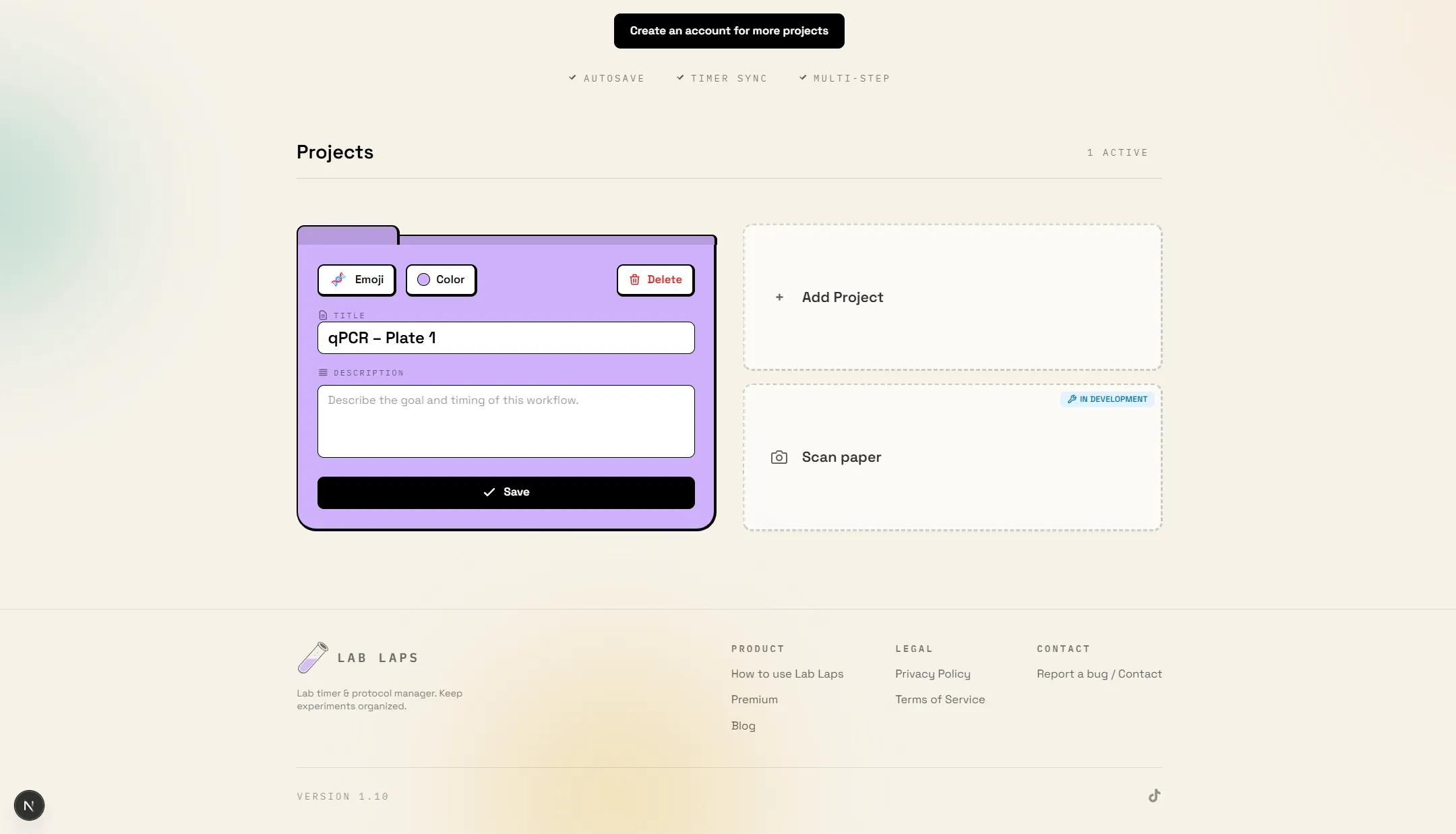
Open Lab Laps and create a project
Go to the homepage and click "Create project". Give it a name that matches your protocol or run (e.g. "qPCR – Plate 1").
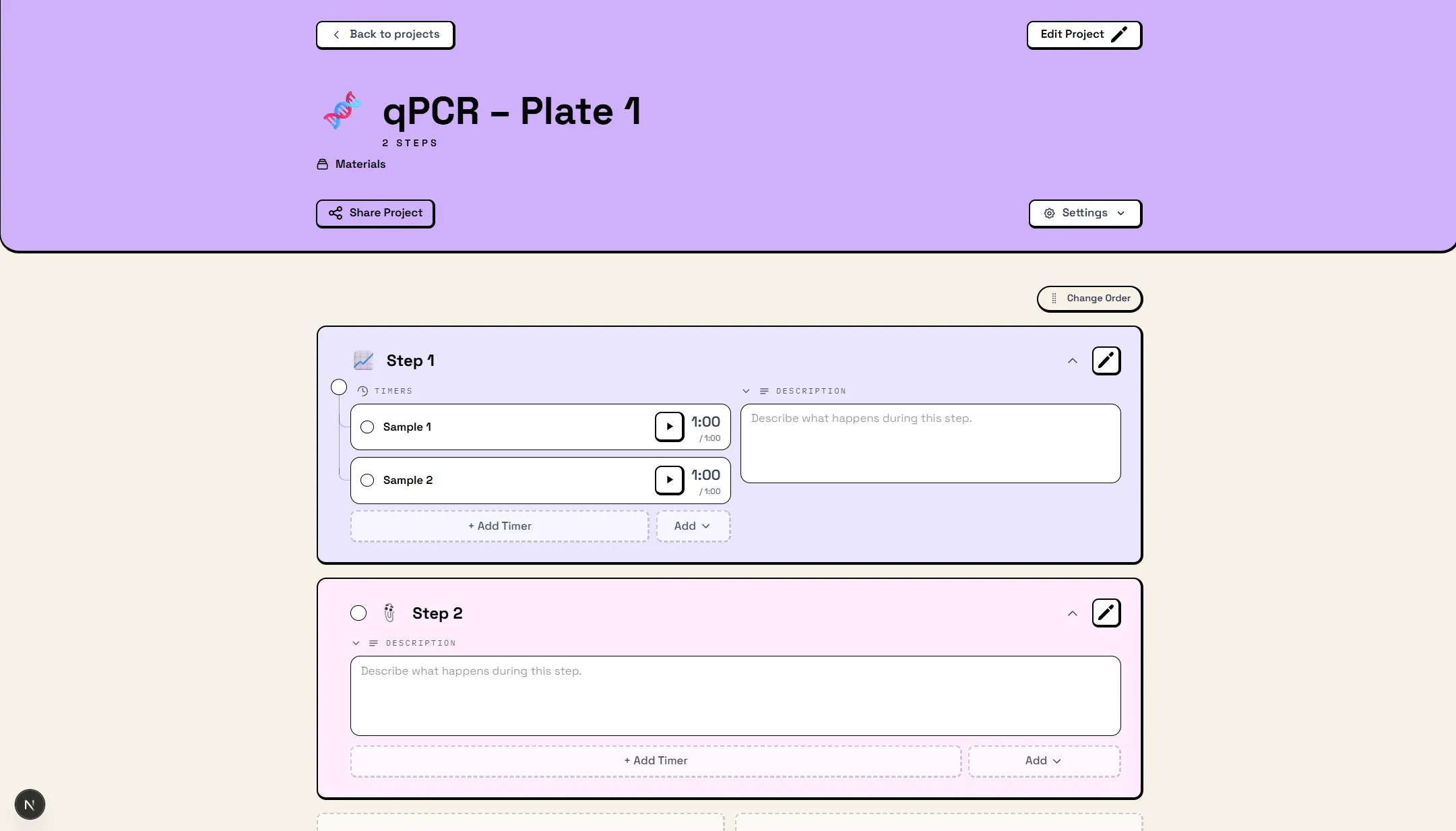
Add steps (and optional groups)
Add steps for each phase of your protocol. Optionally create groups to bundle steps (e.g. "Initial denaturation", "Cycling"). You can reorder steps and groups anytime.
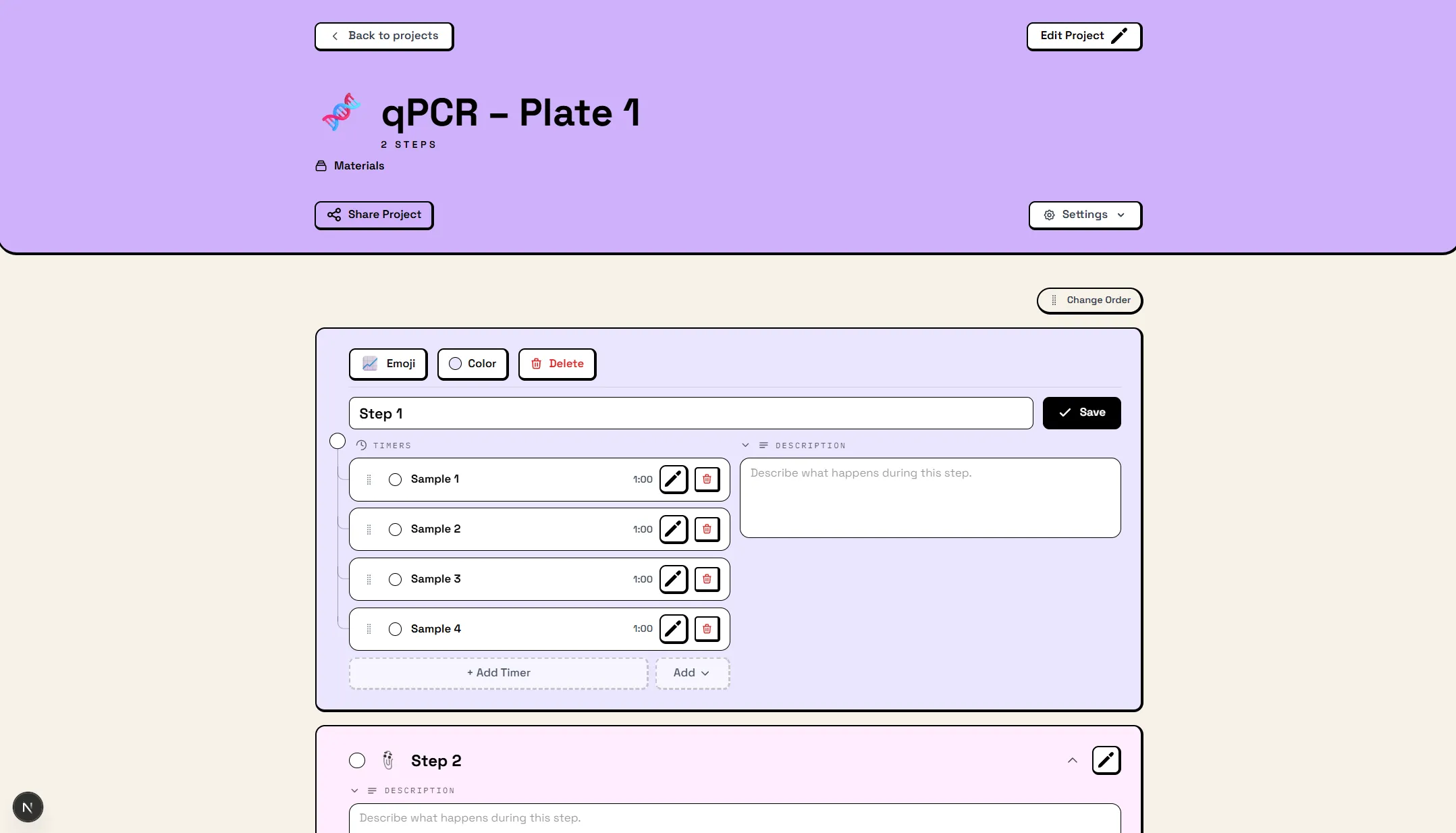
Add timers to steps
For each step that has a fixed duration, add a timer (e.g. 2 min denaturation, 30 s annealing). Use "Timer sync" so the same timers apply across steps—ideal for thermo-cycling and repeated phases.
Optional: sign in and share
Sign in to save and sync across devices. To share with your team, open the project and use "Share"—they get a link to import the project with the same steps and timers.
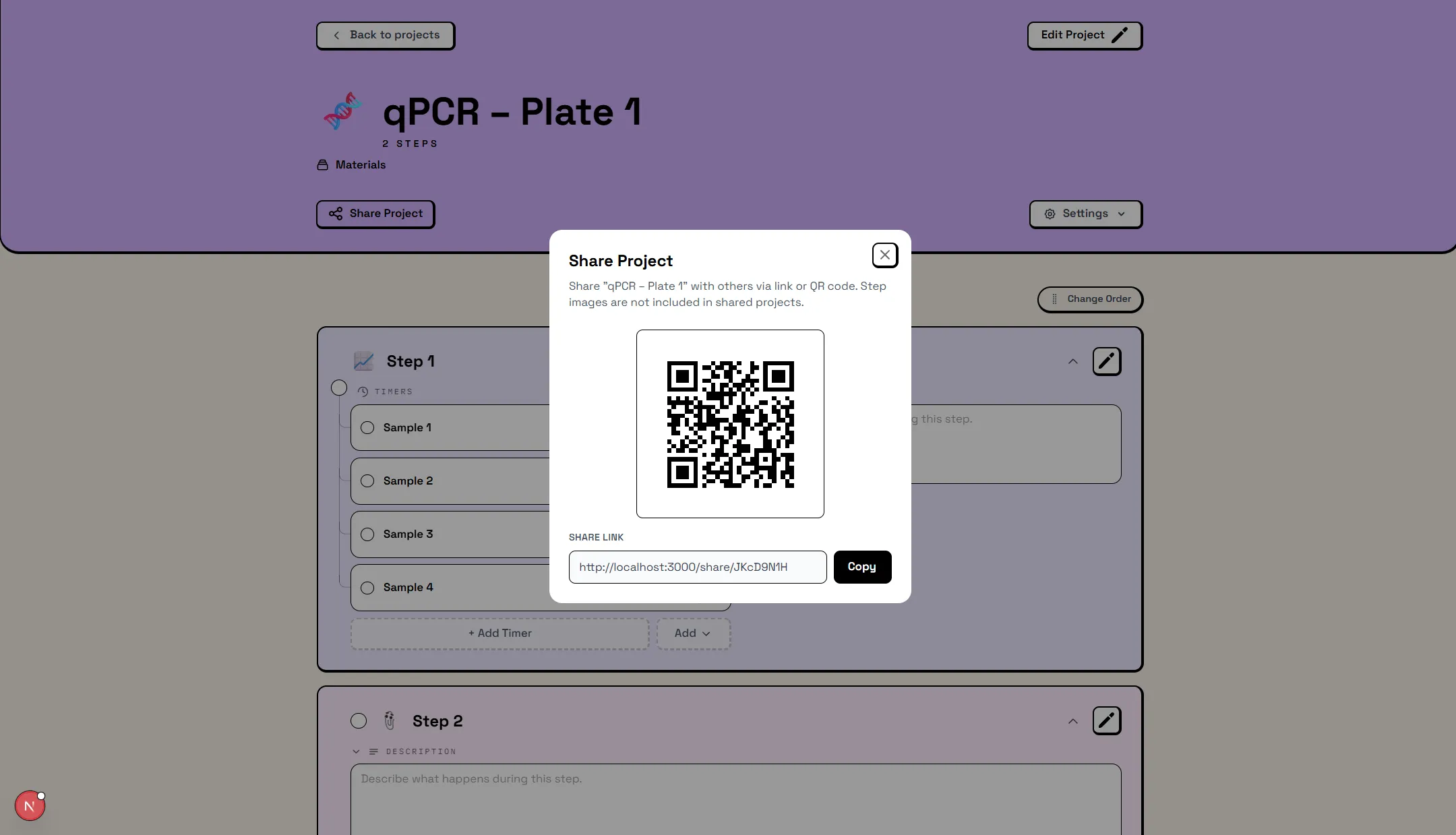
Run the protocol
Start the timers and follow the steps. You'll get a sound when a timer finishes. Pause, restart, or jump between steps as needed. Your progress is saved as you go.
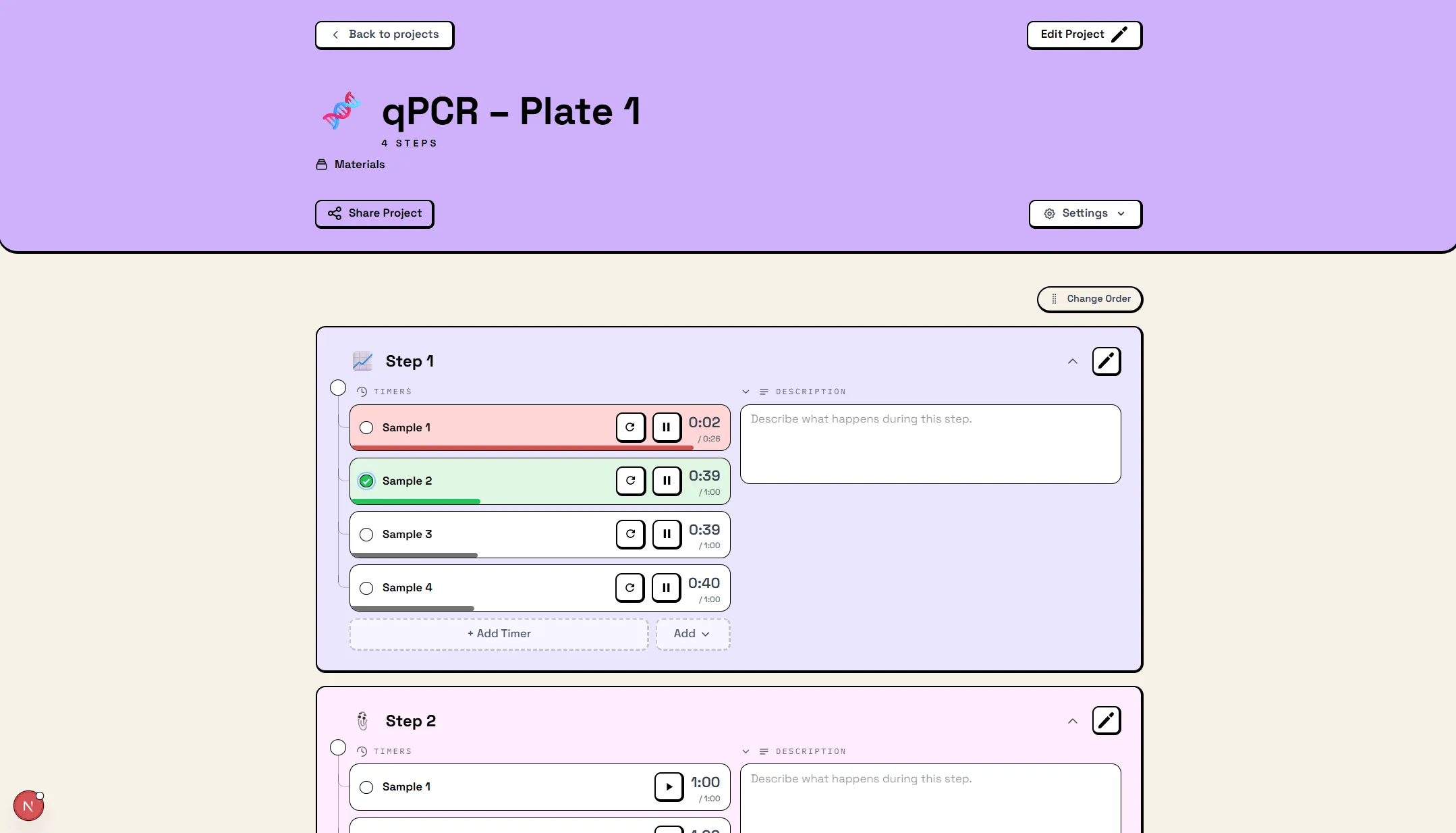
What you can do
Create a project
One project per protocol. Name it and add steps and timers.
Add steps & groups
Break the protocol into steps. Group related ones for structure.
Add timers
Attach timers to steps. Use timer sync so everyone stays in sync.
Sync & share
Sign in to sync. Share a link so your team can run the same protocol.
Run your protocol
Start timers, move through steps, get alerts. No setup—just go.
Go Pro
Unlimited projects, scan from paper, priority support, and more.
Ready to try it?
Create your first project and add steps and timers—no sign-up required.