

Best lab app for protocol tracking
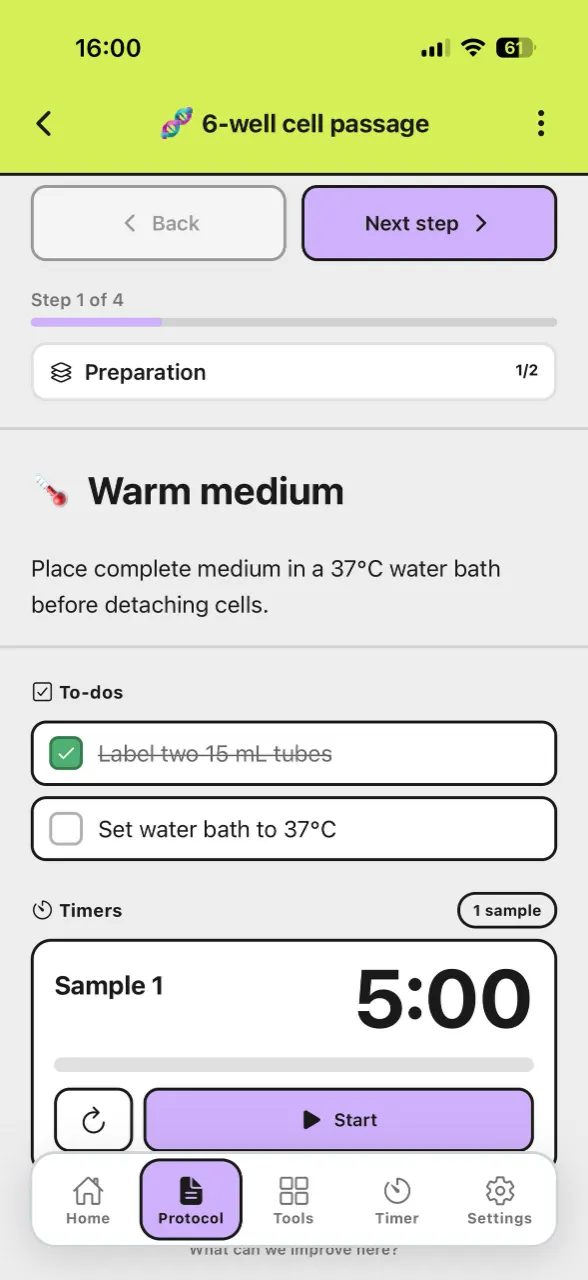
Most "protocol apps" fail in real bench work because they are either note-first or timer-first. The best lab app for active runs should also work as a lab tracker, so step structure and timing stay coherent across the full run.
See protocol tracking in action with lab laps
Comparison table
This table compares common lab app and lab tracker options against live-run criteria that matter at the bench.
Score | Tool | Cost / access | Usability | Protocol tracking | Phone app | Lab tools |
|---|---|---|---|---|---|---|
| 5/5 | Purpose-built protocol runner: named steps, multiple timers, sync across steps, offline use, and one-link sharing. | 4/5 | 5/5 | |||
| 4/5 |  ELN and inventory platform—you can run structured, timed workflows in the web app on desktop; no bench-focused mobile protocol runner. | 2/5 | 3/5 | |||
| 3.5/5 | Flexible docs and databases for lists; you can outline steps but there is no lab-specific timing layer. | 5/5 | 4/5 | |||
| 3/5 |  Digital lab notebook for compliance and archiving—timed notebook workflows on desktop; not a native phone app for live bench protocol timing. | 3/5 | 2.5/5 | |||
| 2/5 |  Excel & Google Sheets Excel & Google SheetsPlan durations in a grid and share files—no native running timers or step workflow while you work. | 5/5 | 3.5/5 | |||
| 1.5/5 |  Timer apps Timer appsPhone or kitchen timers—cheap and immediate, but no named steps, sync across phases, or shareable protocols. | 4/5 | 4.5/5 |

Strong Mixed Weak
How to evaluate a lab app and lab tracker
- Named, ordered steps so operators always know current phase and next action
- Multiple timers per step for overlapping incubations and wash cycles
- Low-friction updates while gloved or moving between hood and instrument
- Team sharing that preserves structure, not only a static exported document
- Useful built-in lab tools to avoid app switching during active runs
Where Lab Laps is a strong fit
- Protocols with 10+ steps where skipped or repeated stages are common failure points
- Runs with parallel timing (for example: incubation + prep + cleanup overlap)
- Teams that need consistent execution across students, interns, and rotating staff
- Labs that want one workflow combining protocol steps, timers, and practical tools
When you may not need it
- Single-step tasks where a basic phone timer is enough
- Work focused only on documentation, where an ELN already covers your full need
- Protocols that almost never involve timing-sensitive handoffs
Bottom line
Lab Laps is best for labs that run multi-step protocols where timing and execution consistency directly affect outcomes. It is less about "more alarms" and more about running the same sequence correctly, every time.
Frequently asked questions
What makes a good lab protocol tracking app?A strong lab app combines clear step order, timer continuity across steps, and sharing so teams can run the same protocol structure consistently.
A strong lab app combines clear step order, timer continuity across steps, and sharing so teams can run the same protocol structure consistently.
When is a dedicated protocol tracker worth it?A dedicated lab tracker is most valuable for multi-step, timing-sensitive protocols where handoff mistakes or skipped phases can affect sample quality and reproducibility.
A dedicated lab tracker is most valuable for multi-step, timing-sensitive protocols where handoff mistakes or skipped phases can affect sample quality and reproducibility.
Do I still need an ELN if I use a protocol tracking app?Often yes. ELNs are best for documentation and records, while protocol trackers are best for live execution during bench work.
Often yes. ELNs are best for documentation and records, while protocol trackers are best for live execution during bench work.