

Best blood cell counter app for labs, iPhone, and Android
Lab Laps is a blood cell counter app for iPhone and Android that keeps blood smear cell counting connected to protocol steps, timers, notes, and repeatable lab workflows. It is for research and education, not clinical diagnosis.
For RBC, WBC, and platelet counting from smear images, a counter is only one step in the wider experiment. If counting is disconnected from your protocol and timing flow, data quality may still drift between operators.
See blood cell counting in action with lab laps
Comparison table
This table compares cell-counting alternatives by workflow fit, not just counting in isolation.
Score | Tool | Cost / access | Usability | Protocol tracking | Phone app | Lab tools |
|---|---|---|---|---|---|---|
| 5/5 | Purpose-built protocol runner: named steps, multiple timers, sync across steps, offline use, and one-link sharing. | 4/5 | 5/5 | |||
| 4/5 |  ELN and inventory platform—you can run structured, timed workflows in the web app on desktop; no bench-focused mobile protocol runner. | 2/5 | 3/5 | |||
| 3.5/5 | Flexible docs and databases for lists; you can outline steps but there is no lab-specific timing layer. | 5/5 | 4/5 | |||
| 3/5 |  Digital lab notebook for compliance and archiving—timed notebook workflows on desktop; not a native phone app for live bench protocol timing. | 3/5 | 2.5/5 | |||
| 2/5 |  Excel & Google Sheets Excel & Google SheetsPlan durations in a grid and share files—no native running timers or step workflow while you work. | 5/5 | 3.5/5 | |||
| 1.5/5 |  Timer apps Timer appsPhone or kitchen timers—cheap and immediate, but no named steps, sync across phases, or shareable protocols. | 4/5 | 4.5/5 |

Strong Mixed Weak
What to check before choosing a blood cell counter app
- Can the app detect and count RBCs, WBCs, and platelets from smear images?
- Can you move from preparation to counting without context switching?
- Is counting traceable inside a repeatable protocol sequence?
- Can new team members follow the same counting workflow quickly?
- Does the app support nearby tasks (timing, notes, dilution) in one place?
Where Lab Laps fits best
- Researchers and educators searching for a blood cell counter app on iPhone or Android
- Teams that treat cell counting as part of a full protocol, not a standalone action
- Groups that need consistent execution across multiple people and shifts
- Workflows where timer coordination and counting outcomes are closely linked
Blood cell counter website vs mobile app
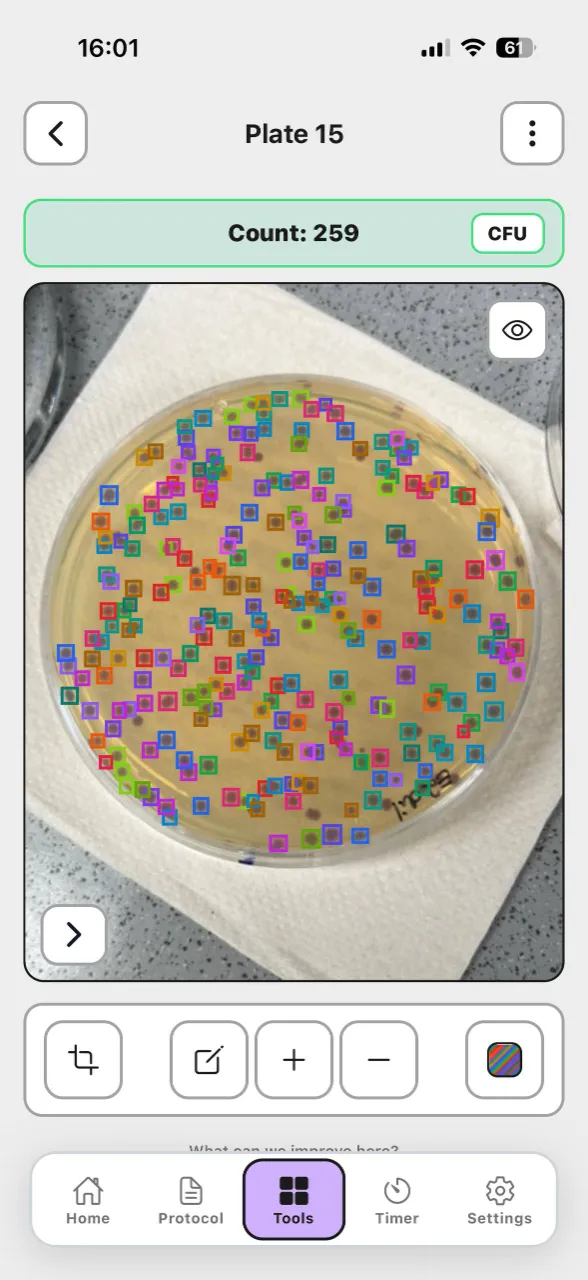
Use the free online blood cell counter for a quick browser count: upload a smear image, run AI detection for RBCs, WBCs, and platelets, edit boxes, and export an annotated PNG. Use the Lab Laps mobile app when cell counting should live next to protocol steps, timers, notes, and saved smear projects on iOS or Android.
When a standalone counter may be enough
- You only need occasional counting and no protocol-level coordination
- You already have robust process control elsewhere and only need a single-purpose tool
Bottom line
Lab Laps is a strong choice when you want blood cell counting to stay connected to protocol tracking and timing, so results are easier to reproduce across operators and experiment days. Use it for research and education only, not for clinical diagnosis.
Frequently asked questions
Is Lab Laps a blood cell counter app?Yes. Lab Laps includes a Blood Cell Counter tool and is designed for labs and classrooms that want cell counting connected to protocol steps, timers, notes, and repeatable workflows. It is for research and education, not clinical diagnosis.
Yes. Lab Laps includes a Blood Cell Counter tool and is designed for labs and classrooms that want cell counting connected to protocol steps, timers, notes, and repeatable workflows. It is for research and education, not clinical diagnosis.
What cells can it count?The Blood Cell Counter detects common blood smear cell types — red blood cells (RBCs), white blood cells (WBCs), and platelets — with a per-class breakdown for review.
The Blood Cell Counter detects common blood smear cell types — red blood cells (RBCs), white blood cells (WBCs), and platelets — with a per-class breakdown for review.
Is it a medical device?No. Lab Laps is not a medical device and its Blood Cell Counter is not intended for clinical diagnosis, treatment decisions, or patient care. Use de-identified images and confirm counts with validated laboratory methods.
No. Lab Laps is not a medical device and its Blood Cell Counter is not intended for clinical diagnosis, treatment decisions, or patient care. Use de-identified images and confirm counts with validated laboratory methods.
Does Lab Laps work on iPhone and Android?Yes. Lab Laps is available as a mobile app for iOS and Android, with download links from the Lab Laps website, the App Store, and Google Play.
Yes. Lab Laps is available as a mobile app for iOS and Android, with download links from the Lab Laps website, the App Store, and Google Play.
What should a blood cell counter app include for real lab use?Beyond counting itself, it should fit into protocol timing and team workflow so counting results stay consistent across runs and operators, with manual review built into the process.
Beyond counting itself, it should fit into protocol timing and team workflow so counting results stay consistent across runs and operators, with manual review built into the process.
When is a standalone blood cell counter enough?Standalone tools can be enough for occasional counting tasks that do not require protocol-level coordination or shared timing context.
Standalone tools can be enough for occasional counting tasks that do not require protocol-level coordination or shared timing context.
Is Lab Laps a blood cell counter website?Yes. Lab Laps offers a free online blood cell counter on the website for quick image-based counts, plus a Blood Cell Counter tool in the iOS and Android app for counting inside saved protocol workflows.
Yes. Lab Laps offers a free online blood cell counter on the website for quick image-based counts, plus a Blood Cell Counter tool in the iOS and Android app for counting inside saved protocol workflows.