


Master Mix Calculator

Loading…

Step 1

Set reactions, volume & overage

Step 2

Add reagents & volumes

Step 3

Read totals to pipette

Step 4

Copy or save (sign in)

Online master mix calculator

Use the website when you need PCR pipetting volumes fast — how much of each reagent for 8, 24, or 96 reactions plus overage, and how much water to fill. No install, no account. Sign in to keep saved mixes synced with the Lab Laps mobile app.

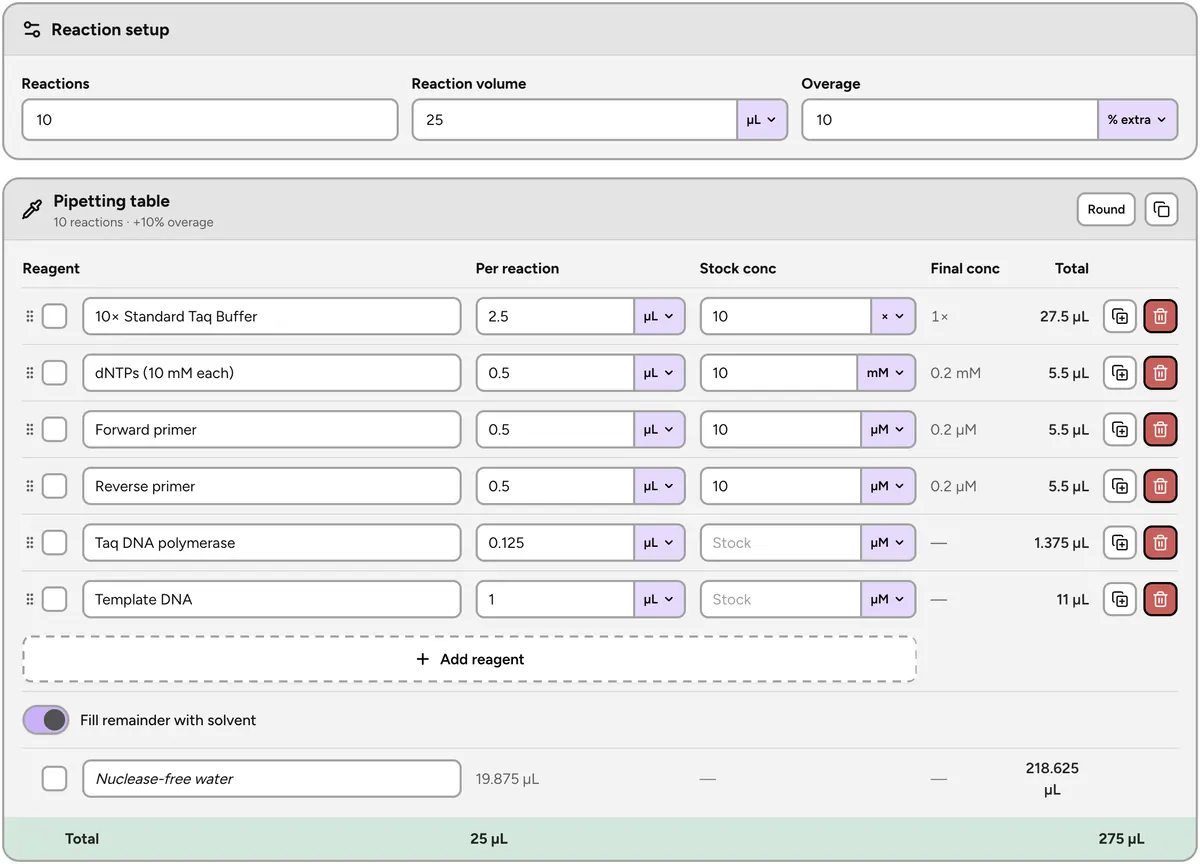
Lab Laps master mix calculator with reagent volumes and pipetting totals

How to calculate a PCR master mix

This free online master mix calculator turns a reaction recipe into bench pipetting numbers. Set how many reactions you need, the volume of each — 20 µL and 25 µL are the usual PCR setups, 50 µL for preparative reactions — and overage as a percent or as extra reactions. Add every reagent with its per-reaction volume, and optionally a stock concentration to see the final concentration in the reaction. The tool returns the total volume of each reagent to pipette into the mix and fills the remainder with water or another solvent so every tube hits the target volume. Works for standard PCR, qPCR, RT-PCR, restriction digests, ligations, and any other multi-reagent setup you scale across tubes.
How it works

  1. 1Enter reaction count, volume per reaction, and overage.
  2. 2Add each reagent with the volume needed per reaction.
  3. 3Tick reagents off at the bench, copy the table, or sign in to sync saves.

Who is this for?

Molecular biology and biochemistry labs setting up PCR, qPCR, cloning reactions, and other multi-reagent mixes — students and researchers who want pipetting totals without rebuilding the same spreadsheet for every experiment.

Master mix calculator FAQ

How do you calculate a PCR master mix?

Multiply the volume of each reagent per reaction by the number of reactions, then add a little overage so pipette loss does not leave the last tube short. This calculator does both steps: enter reaction count, volume per reaction, and overage, then add each reagent with the volume it needs per reaction. You get the total volume of every reagent to pipette into the mix, plus the water needed to reach the final reaction volume.

What goes into a PCR master mix?

A standard PCR master mix contains buffer (often with MgCl2), dNTPs, forward and reverse primers, DNA polymerase, and nuclease-free water. Template DNA is normally left out. Add each shared reagent as a row here and the calculator scales all of them together for the number of reactions you are setting up.

Do you add template DNA to the master mix?

Usually not. Template is pipetted into each tube separately so every reaction gets its own sample — that is the whole point of a master mix. Add template as a reagent row only when every reaction uses the same template, for example a plate of technical replicates.

How much overage should I add to a master mix?

Around 5–10% extra is typical. For small batches a percentage adds almost nothing, so many labs add one or two whole extra reactions instead. This calculator takes either — a percent overage or a fixed number of extra reactions — and applies it to every reagent in the mix.

Is this master mix calculator free?

Yes. The public master mix calculator is free and needs no login. Enter how many reactions you need, the volume per reaction, and optional overage, add your reagents, and read off the total volume to pipette — nothing to install and no account to create.

Can I calculate final concentrations from stock?

Yes. Enter a stock concentration next to the per-reaction volume and the calculator shows the final concentration in the reaction for that reagent — useful for checking primers at 0.2 µM, dNTPs, MgCl2, or a 10x buffer.

Which units does the master mix calculator support?

Volumes in nL, µL, mL, and L. Stock concentrations in molar units (M, mM, µM, nM), mass/volume units (ng/µL, ng/mL, µg/µL, µg/mL, mg/mL, g/L), percent, and fold stocks such as 10x. Mixing unit types across reagents in the same setup is fine.

Can I copy the pipetting table?

Yes. Use Copy table to put reagent names and totals on the clipboard for a lab notebook or spreadsheet. You can also tick reagents off as you pipette so you do not lose your place halfway through the mix.

Does this page save my master mix recipes?

No. This public page keeps your recipe in the browser tab only — nothing is saved to an account. For saved mixes that sync with the Lab Laps mobile app, sign in and use /app/master-mix.

Lab Laps

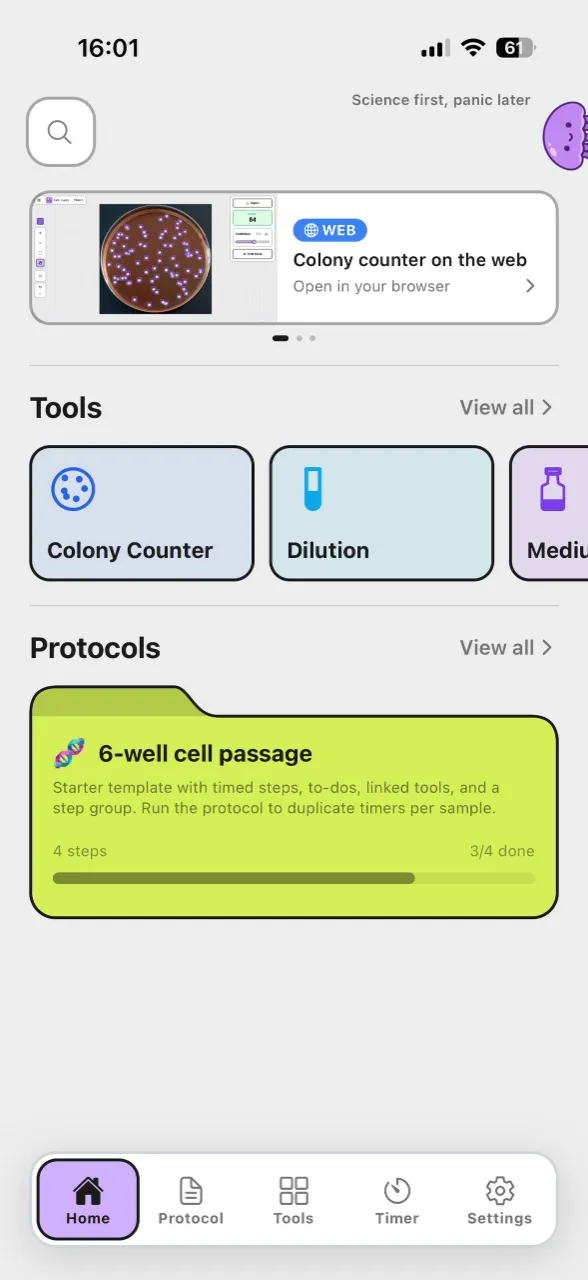
Download Lab Laps and keep your timers, protocols, and tools together in one app.